

Google Ads Portfolio: Scottish Beauty Expert
WooCommerce Leads + Course Sales
Project Overview
This was not a “more clicks” project. The goal was profitable, trackable conversions from searchers who were ready to enrol in accredited training— while filtering out low-intent traffic (jobs, free courses, cheap kits, generic info searches, unrelated queries).
🎯 What the Client Needed From Google Ads
Scottish Beauty Expert runs a WordPress + WooCommerce website where students can enquire and also purchase/enrol directly via product pages (“Add to basket”). That means ad traffic had to convert cleanly and tracking had to reflect real outcomes.
- Capture high-intent course searches: laser, clinical skincare, SPMU, lashes & brows, online courses.
- Protect budget: block jobs/free/cheap kit intent and other irrelevant traffic patterns.
- Fix tracking drift: conversions reported in Google Ads needed to reconcile with actual WooCommerce purchases.
- Scale safely: cover long-tail queries across a deep course catalog without losing control.
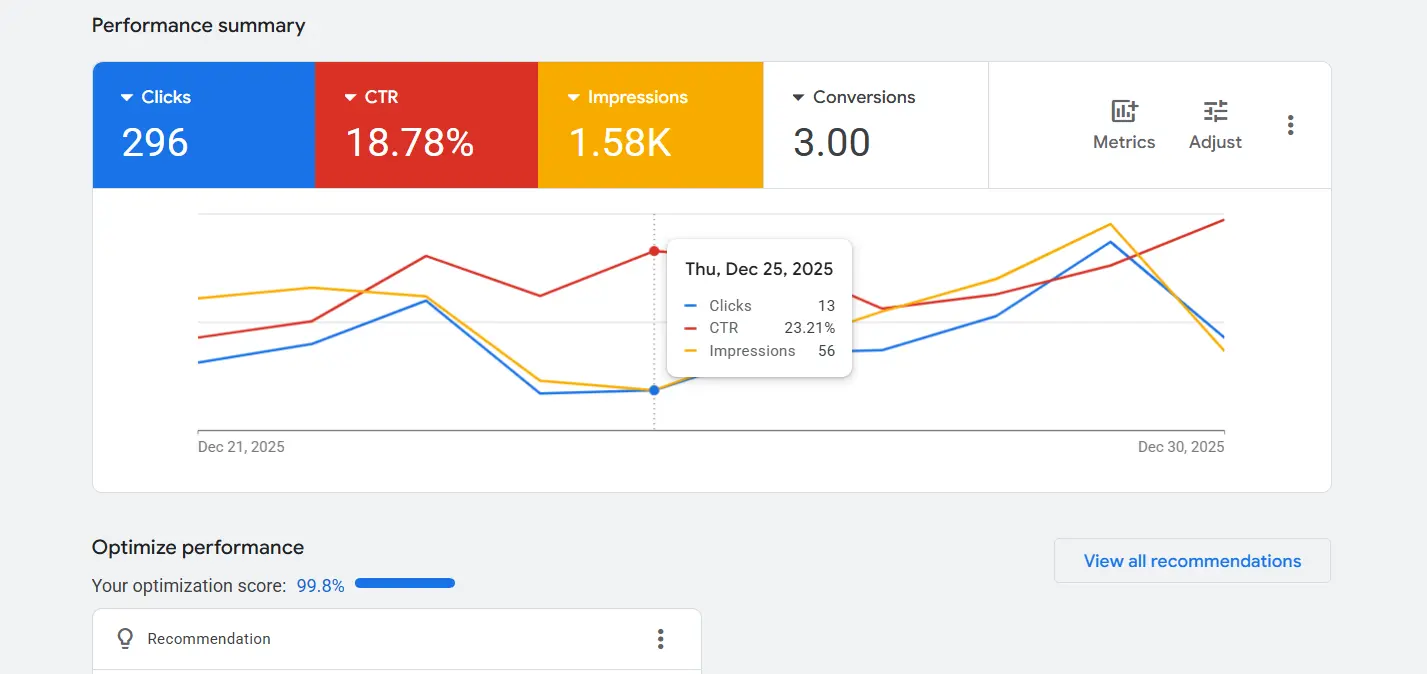
Website: https://scottishbeautyexpert.com/
Search for control + DSA for discovery—structured to cover long-tail queries without letting the account go broad.
1) Search Campaigns (High Control)
Beauty training search intent is specific. We used tightly themed ad groups and mapped each intent to the most relevant course/category landing page.
- Tight ad groups by intent: Laser, Clinical Skincare, Lash/Brow, SPMU, Online Courses.
- Keyword → landing page mapping: the page matched the query so users immediately saw the right course catalog.
- Location clarity: Glasgow / Aberdeen and online options reflected in ad messaging and landing alignment.
Why it worked: Relevance improved across the entire chain—query → ad → page → checkout—so traffic quality and conversion readiness improved.
2) Dynamic Search Ads (DSA) for Long-Tail Reach
Course searches vary massively (“laser training Glasgow”, “microneedling course”, “lash lift course Aberdeen”, etc.). DSA helps discover and capture long-tail queries by matching searches to your site content—especially useful for deep catalogs and new course additions.
| DSA Control Lever | How We Used It |
|---|---|
| URL rules / page targeting | Focused DSA on course/category URL sets (not the entire site). |
| Exclusions | Excluded pages that are not conversion-led or that attract weak intent. |
| Negative keywords | Blocked jobs/free/cheap kit intent and other waste patterns (critical for DSA). |
DSA principle: Use DSA as a discovery engine—but control it with URL targeting + exclusions + negatives so it doesn’t become “travel broad match chaos” for beauty courses.
The account was reporting conversions, but the numbers didn’t reconcile with real WooCommerce purchases—so optimization risked drifting toward “phantom conversions.”
🧩 What Usually Causes This Mismatch (What We Checked First)
- Conversion tag visibility: whether Google Ads can actually “see” and record the conversion signal.
- Correct firing conditions: tags firing in real purchase flows (not only in preview mode).
- Purchase signal placement: ensuring “purchase” is captured on the real order confirmation / thank you step.
- Double-counting risk: multiple tags/events recording the same purchase or recording on non-purchase steps.
✅ What We Implemented (Clean, Purchase-Based Measurement)
- Aligned tracking so optimization anchors to a true purchase signal (WooCommerce order completion).
- Verified GA4 ecommerce purchase event is collected at the correct step and actually received.
- Resolved “inactive/unverified” / misfiring tag conditions that cause undercounting or false positives.
- Separated micro actions (clicks / views) vs macro actions (purchase / high-intent enquiry) so reporting stays meaningful.
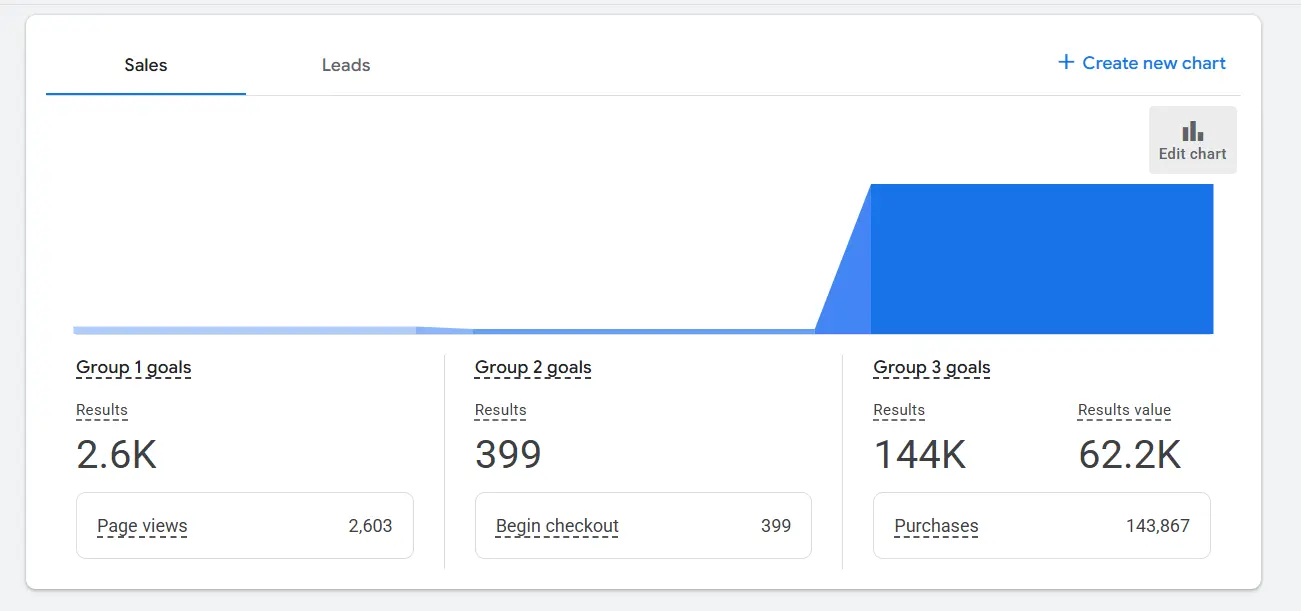
Portfolio-safe result: After the tracking fixes, conversion reporting became far more consistent with real purchase behavior—so bidding and search-term decisions were based on outcomes, not noisy signals.
Where the efficiency came from: weekly search-term cleanup to protect budget and improve lead quality—especially important for DSA.
🧹 Weekly Cleanup Routine (What We Excluded)
Jobs / Career Intent
“jobs”, “salary”, “apprenticeship”, “career path” type searches that don’t convert to enrolments.
Free / Research Intent
“free course”, “PDF”, “YouTube”, “online tutorial” patterns that waste spend.
Cheap Kits / Wholesale
Low-budget product-only intent that does not match accredited training goals.
Unrelated Queries
Irrelevant therapy/medical terms and generic queries that don’t map to the course catalog.
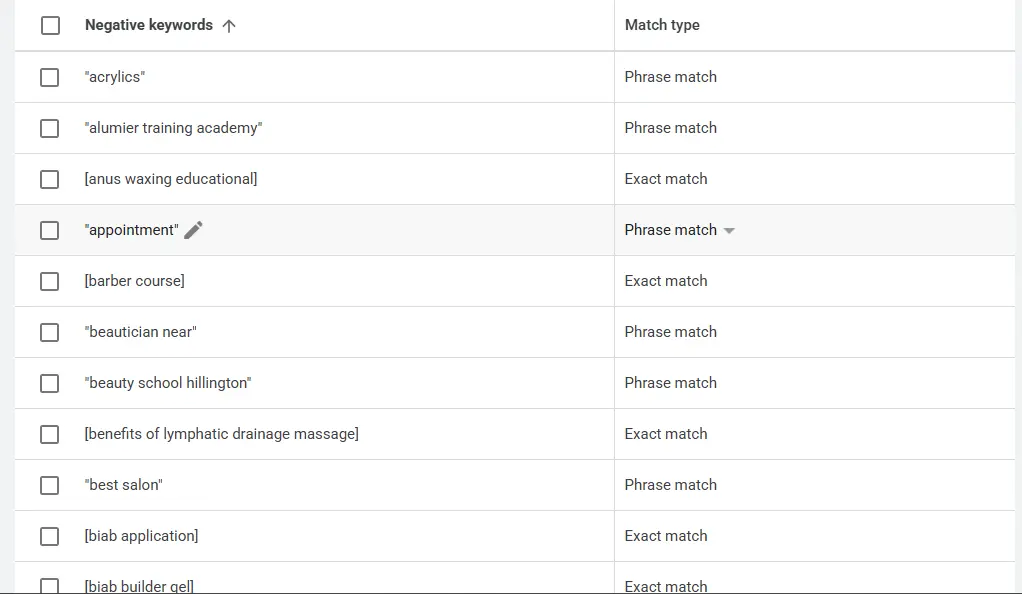
Why negatives mattered more with DSA: DSA can expand reach quickly, so negative keywords + page exclusions are the control levers that keep long-tail coverage high-quality.
We upgraded the “ad → landing page → conversion” chain so intent stays consistent and conversion friction drops.
1) Messaging Built for Course Intent
Instead of generic “beauty training” messaging, we aligned ad copy with what serious students care about: accredited training, location clarity (Glasgow/Aberdeen), online options, and what the course includes (where appropriate).
- Clarity first: course type + location + outcome tone.
- Consistency: ad claims matched the landing page experience (trust + accuracy).
- Conversion-ready CTAs: enrol, book, course details, and purchase pathways aligned with page intent.
2) Landing Page Mapping (Query → Best Page)
We mapped each keyword theme to the most relevant course/category page so the user lands exactly where they expect—reducing bounce and improving conversion readiness.
| Search Intent | Landing Page Type |
|---|---|
| Clinical skincare course searches | Clinical skincare courses hub + relevant course/product pages |
| Laser training (Glasgow/Aberdeen) | Laser category/courses pages + matching course pages |
| Online course intent | Online courses / e-learning catalog |
| Lash/Brow & SPMU intent | Dedicated category hubs + specific high-intent course pages |
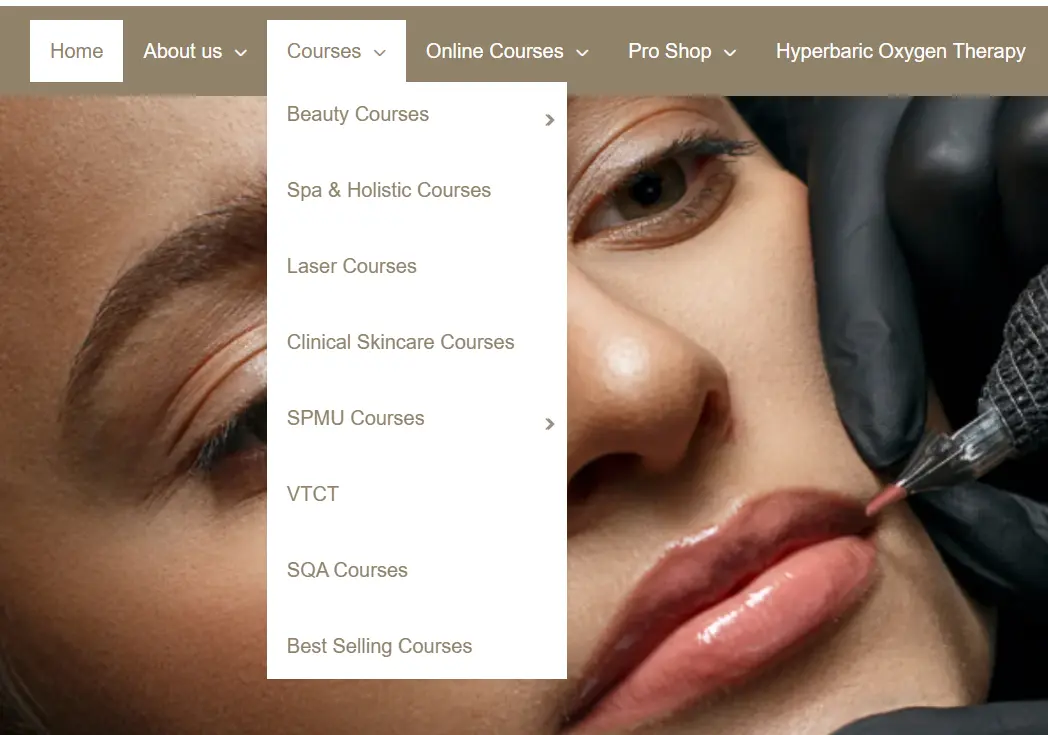
Why this matters: Better alignment usually improves relevance signals and user behavior (more time on site, fewer wasted clicks, stronger purchase intent).
The wins were not “bids only”—they were structure, control, and measurement accuracy.
- Search + DSA combination: long-tail coverage without losing control through URL targeting and exclusions.
- Conversion mismatch solved: purchase tracking audited and fixed so optimization reflects real WooCommerce outcomes.
- Negative keyword system: weekly search-term cleanup to reduce wasted spend and improve lead quality.
- Keyword → landing page mapping: aligned across a broad course catalog (Glasgow, Aberdeen, online).
Note on results: Add your real numbers later (CPL, ROAS, purchase volume, conversion rate). This case study is written to stay truthful without fake metrics.
ADS Services :
Drive faster leads and sales with our Ads Services in Glasgow , built to generate qualified enquiries using smart targeting, strong creatives, and conversion-first landing page strategy. For global expansion, explore Ads Services in Edinburgh designed for tighter tracking, scalable budgets, and ROI-focused optimization, or choose Ads Services in Aberdeen to reach high-intent local customers with campaigns that turn clicks into real enquiries.
Common client questions about Google Ads for WooCommerce course sales
Because the academy has many course pages and category URLs. DSA can capture long-tail course searches by matching user queries to relevant pages—especially helpful when new courses are added over time.
We controlled DSA using URL-based targeting rules, page exclusions, and an aggressive negative keyword system built from search term analysis—so the campaign doesn’t expand into weak or irrelevant intent.
It usually means the true purchase signal isn’t being captured correctly—tags not firing, firing on the wrong step, duplicated, or showing “inactive/unverified”. When that happens, bidding can optimize toward the wrong actions.
We audited conversion tracking end-to-end, validated that the purchase event is captured on the real order confirmation step, and fixed “inactive/unverified” or misfire conditions. We also separated micro signals vs macro outcomes so reporting stays clean.
This niche attracts irrelevant intent (jobs, free training, cheap kits, generic research). Negative keywords reduce wasted spend and improve lead quality—especially when DSA expands reach into long-tail queries.
We used the Search Terms report to identify high-intent patterns (course + location + certification/treatment intent), then created separate ad groups so each keyword theme maps to the most relevant course page and stays conversion-led.
Course hubs and online course catalog pages performed best for intent alignment because they match course queries and show the depth of offerings—helping users find the right course quickly.